
To work remotely from a hotel in Kannur, confirm three things before booking: whether the connection suits your actual tasks, whether the room has a usable workspace, and what you will do if either is unsuitable. A Wi-Fi symbol alone does not establish video-call reliability, and a large room does not automatically provide the desk, chair or privacy you need.
This guide is for travellers combining a Kannur stay with online meetings, focused laptop work or a few working hours between local appointments. Hotel Blue Nile’s Club Suite page lists Wi-Fi and a dedicated work desk. Those are useful starting points, not a measured guarantee of connection speed, uninterrupted service or suitability for every work setup.
Start with your working day, not the room label
Write down the tasks you cannot postpone. Reading documents offline is different from presenting on a live call, uploading large files or joining meetings throughout the day. Tell reservations when you expect to work and whether one or more guests will be online.
For example, a guest answering email before sightseeing may mainly need a comfortable surface and reliable access at that time. A guest delivering a client presentation also needs a suitable camera background, clear audio and an alternative if the room connection fails. The second booking needs more confirmation, even if both guests stay for one night.
| Your work pattern | What to confirm | Practical fallback |
|---|---|---|
| Email and document editing | Room Wi-Fi access, desk or work surface, chair and accessible power sockets | Keep permitted working files available offline before travelling |
| Video meetings and presentations | Connection in the assigned room, likely interruptions, camera position and work hours | Test your own mobile connection and agree an audio-only option with colleagues |
| Two guests working at once | Space for both devices and whether simultaneous calls can be separated | Stagger calls or enquire about a separately bookable meeting space |
| Confidential conversations | A private setting and arrangements that meet your employer’s requirements | Move the conversation to an approved private location, not a public dining area |
Ask about Wi-Fi in the room you will use
Ask whether Wi-Fi reaches the proposed room’s work area, how guests sign in, whether there are device limits and whom to contact if access fails. If a connection measurement is supplied, ask where and when it was taken. A reading from another area or at another time is not a promise about your meeting.
Explain any work-specific requirements before paying. If your employer requires particular software or connection controls, check with your own IT team as well as the hotel. Do not assume that staff can change the network to accommodate a corporate device.
This article does not publish a measured speed, room-by-room signal survey, guaranteed uptime or verified backup-internet arrangement for Hotel Blue Nile. Confirm those details directly where they are essential to your booking.
Check the desk, chair and room layout
The Club Suite is worth discussing when a dedicated desk matters. Compare it with the Suite Room and the wider room selection, but ask about the actual furniture rather than treating a category name as a workstation specification.
- Can the surface hold your laptop, mouse and any additional screen?
- Is the chair suitable for the length of time you expect to sit?
- Where are the usable sockets relative to the desk?
- Can you position the camera without showing another guest or private belongings?
- Can housekeeping visits be coordinated around important calls?
Our quiet-room booking guide explains how to ask about room position and scheduled activity without assuming soundproofing. When travelling with family, the business trip with family guide helps coordinate work and non-work schedules.
Do a short rehearsal after arrival
- Set up where you will actually work. Check the chair, screen position, lighting and access to power.
- Try your normal workflow. Open the applications you need and make a test call with a colleague, including microphone, camera and screen sharing if relevant.
- Check the alternative. Test your own mobile connection in the room rather than assuming it works indoors. Check your data allowance before depending on it.
- Raise problems early. Tell reception the room, time and task affected. Ask what options are available and whether any alternative space or room change costs extra.
Leave a buffer between arrival and your first essential meeting. An early arrival does not guarantee room access; read the early check-in and late checkout guide before building a work schedule around either.
Keep meetings and meals separate when needed
A restaurant table is not automatically a private office. Review the hotel’s dining options for meal planning, and ask before relying on a public area for calls. For an in-person discussion or a separate room, enquire about the meeting and event spaces; availability, equipment and charges need separate confirmation.
For a longer stay, use the extended-stay guide to cover meals, laundry and housekeeping alongside the work setup. Request a total quote rather than assuming these services or meeting-space access are included.
A useful enquiry to send reservations
I plan to stay from [date] to [date] and work mainly between [hours]. I need [desk setup] and will use [applications or type of work] on [number] devices. Please confirm the available room category, desk and chair arrangement, room Wi-Fi access and any known limitations. Please also explain the options if the setup is unsuitable, any additional charges, and the total booking price and cancellation terms.
Frequently asked questions
Does Hotel Blue Nile have a room with a work desk?
The current Club Suite page lists a dedicated work desk. Confirm the assigned room’s furniture and dimensions if your equipment needs more than a laptop-sized surface.
Is hotel Wi-Fi guaranteed to support my video calls?
No performance guarantee is established by this guide. Describe your needs, ask about the proposed room and test your normal workflow after arrival. Keep an alternative for important meetings.
Can I use a meeting room instead of working in my bedroom?
Ask the hotel about available spaces, permitted use, equipment and charges. A bedroom reservation should not be treated as a confirmed meeting-room booking.
Plan your working stay at Hotel Blue Nile
Address: Hotel Blue Nile, S.N. Park Road, Kannur 670001, Kerala, India.
Reservations: +91 90615 44440 or 0497 276 0077.
Email: reservations@hotelbluenile.com.
Book now: discuss your room and work requirements | Explore the hotel location | View Hotel Blue Nile on Google
An enquiry is not a confirmed reservation. Obtain written confirmation of the room, dates, agreed arrangements and total price before finalising your plans.
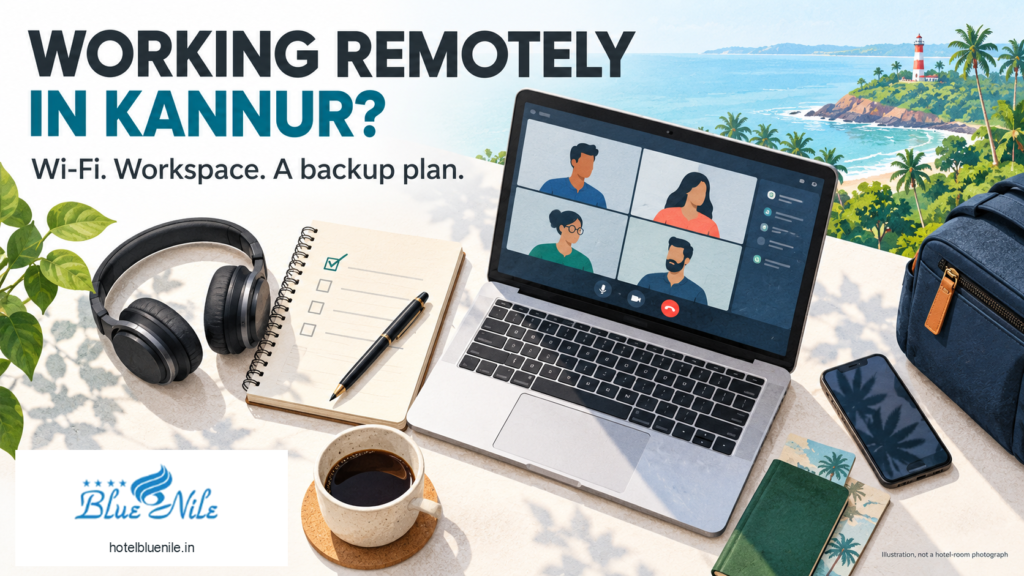
The featured artwork is an AI-generated travel-work illustration with the hotel’s supplied logo. It does not depict an actual Hotel Blue Nile room, workstation or view.